

Cutting interlocking game tiles that twist together
Difficulty: easy. Time: 5 minutes design, 30 minutes making. Best methods: laser-cut plywood, acrylic.
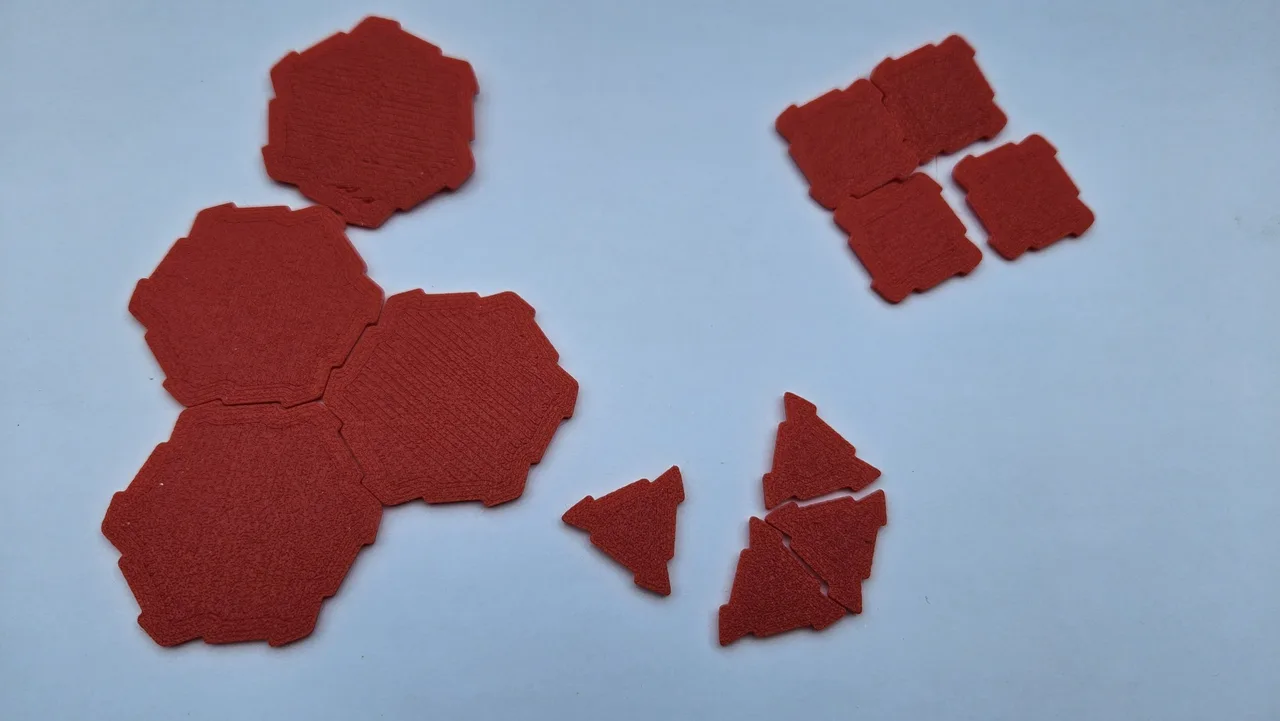
A modular game board only works if the tiles hold onto each other. This generator does that with a twist-lock joint: each tile still comes to a point at every corner, but the two edges meeting at that corner are rotated a few degrees, which turns one side of the corner into a tab and the other into a matching notch. Every tile is twisted the same way, so any tile locks to any other tile of the same shape and edge length.
The joint idea comes from Heath Dutton's MIT-licensed Gametile Designer. This is our own parametric implementation, rebuilt in millimetres with a live preview, sheet layout and corner rounding for laser-cut stock.
What You'll Need
- Laser cutting: 3 mm plywood is the sweet spot. Thinner tiles flex out of the joint, thicker ones need more rounding to slide.
- Optional: acrylic for a wipe-clean board, paint pens or a second engrave pass for terrain art
Step 1 - Shape and size
Shape picks the tiling: triangles, squares or hexes. Edge length is the shared side, which is the number that actually decides how tiles line up, so keep it the same across every sheet you cut for one set. 30 to 50 mm suits a tabletop map; 20 mm makes a pocket set.
Step 2 - Set the grip
- Twist angle is how hard the tiles lock. Zero gives plain tiles with no joint at all. 10 to 16 degrees is a firm friction fit in plywood; past about 20 degrees the tabs get long and fragile.
- Twist reach is how far along each edge the joint runs, shown in millimetres. Around a quarter of the edge looks balanced.
- Joint switches between a Round joint, where the jog follows an arc around the corner, and an Angular one made of straight cuts. Round slides together more easily.
Step 3 - Round and lay out
Corner rounding softens the tile points and Joint rounding softens the tab corners. Both make tiles far more durable and much easier to push together, at the cost of a little play in the joint. Set Tiles on the sheet last: the generator grids them out with a gap, and for triangles it alternates up and down tiles so the set actually tessellates.
Choose Your Build Method
Cut a test pair first
- Set the tile count to 2, cut, and try the joint before committing a sheet. Kerf makes every tile slightly smaller than drawn, which loosens the fit.
- If the pair is loose, add a degree or two of twist. If it will not go together, add rounding rather than removing twist.
- Keep the whole set on one material and one machine. A set cut on two different lasers will not share a kerf, and the joints will feel different.
Finishing
Sand the faces flat, not the edges. Sanding an edge takes the tab with it. Engrave terrain, grids or numbers before cutting while the sheet is still whole, either here in the design editor or in your laser software.
Make It Yours
- Cut hexes in three woods and mix them for terrain types without painting anything.
- Engrave a grid on square tiles for a dungeon map that works with standard minis.
- Cut a dozen tiles with zero twist as blanks, then a locking set, and use the blanks as spares to draw on.
Keep up with MyLaserTools.
Email me about new tools, product updates, tutorials, and occasional MyLaserTools offers. Unsubscribe at any time.
© 2026 MyLaserTools.com. All rights reserved.