

Version 2.7
MyLaserTools 2.7 release notes
Christmas ornaments and batch names
Version 2.7 adds five Christmas ornament generators: a tree of names, a name snowflake, a split monogram, a stack of family bells and mahjong tiles. Cross-shaped text joins them. Most tools with a name field can now make a whole list of names at once, and batch bookmarks fit on real sheets with shared cuts.
New features
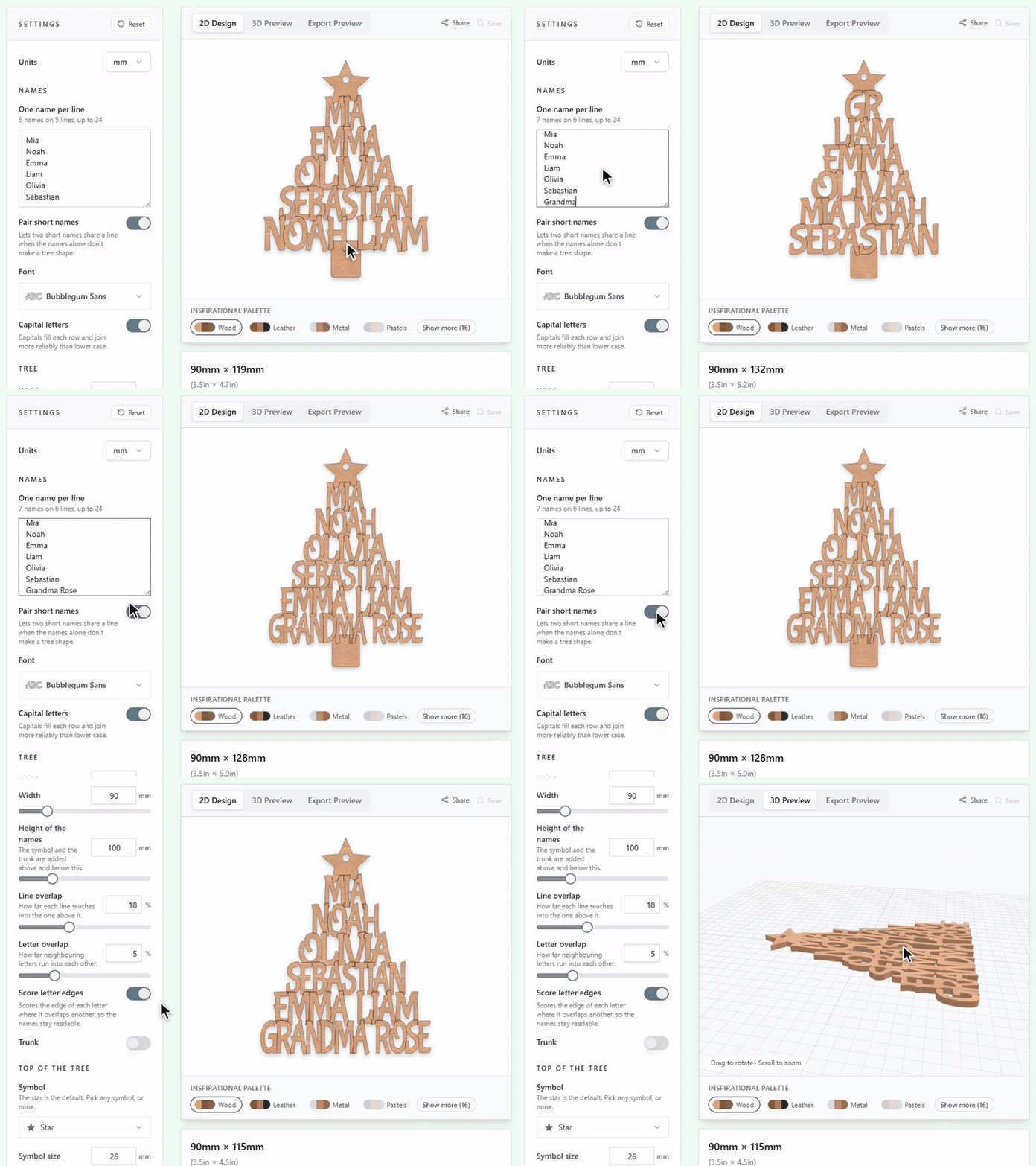
- Christmas Tree Names Generator: Type everyone's name, one per line. The shortest name goes at the top and the longest at the bottom, two short names can share a line, and anything typed on one line, such as Grandma Rose, stays together. The letters overlap so the whole tree cuts as one piece, with scored letter edges to keep each name readable. Top it with a star or any symbol, add a trunk and a hanging hole, and download SVG, STL or 3MF.
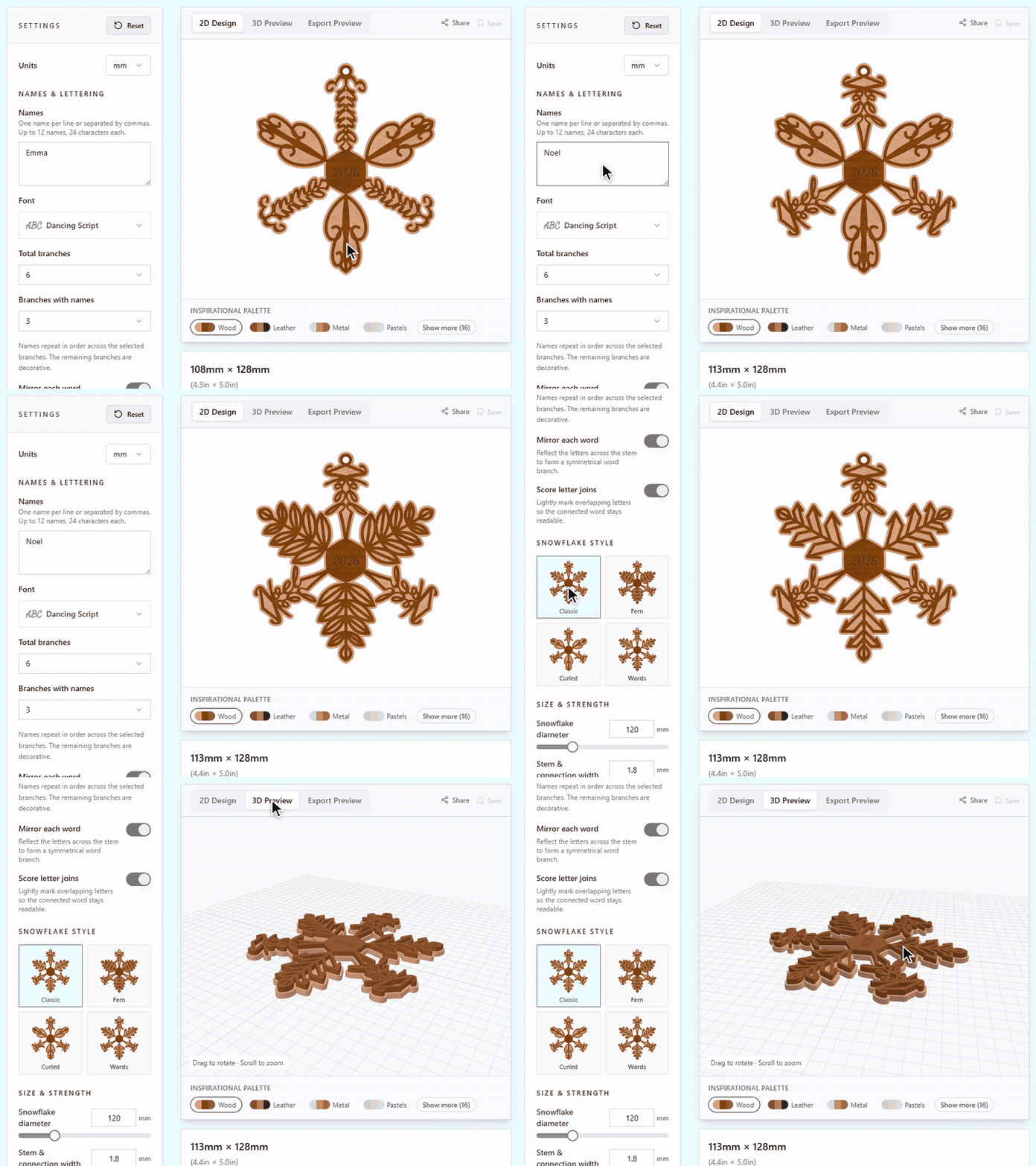
- Name Snowflake Generator: A snowflake ornament with names along its branches. Choose the Classic, Fern, Curled or Words style, how many branches carry a name and whether each word is mirrored, then add a year in the center and a backing layer. Download SVG for the laser, or STL and 3MF for 3D printing.
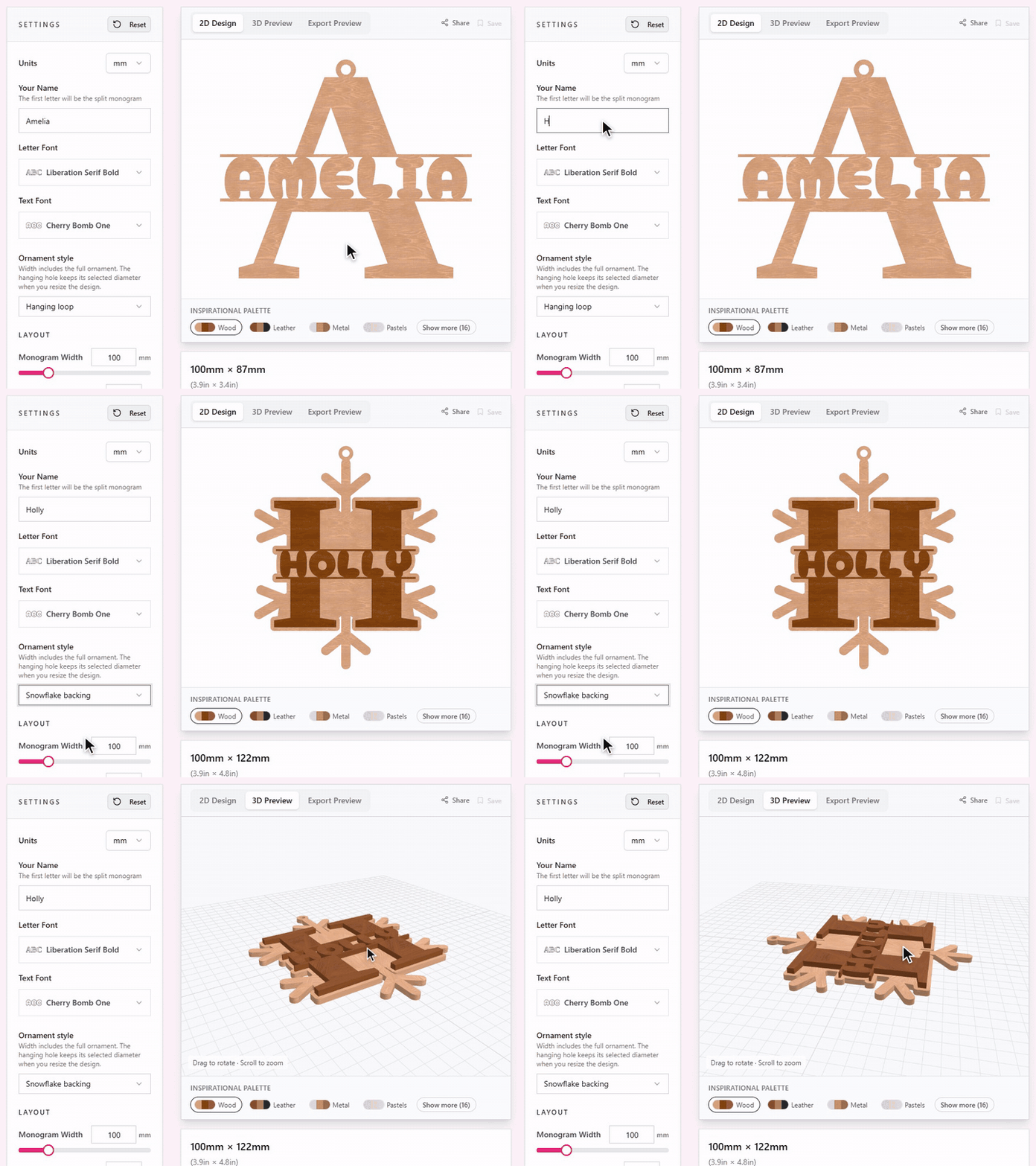
- Split Monogram Ornament: Turn a name into a hanging split monogram with a simple loop or a separate snowflake backing behind it. The SVG keeps the cut pieces apart, and the 3MF keeps the monogram and the backing as two parts in their own colours.
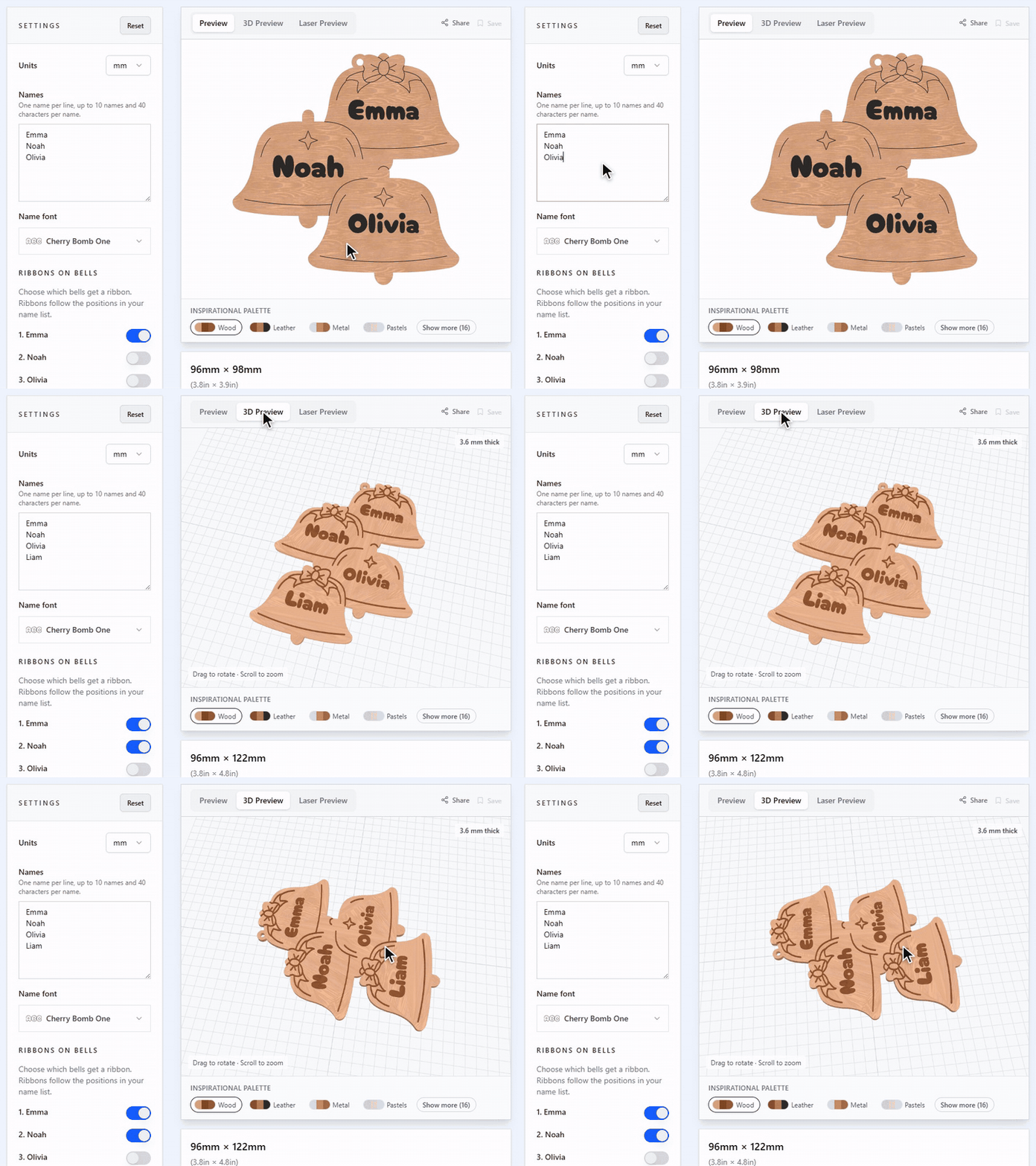
- Family Bell Stack Ornament: A stack of overlapping bells with a name on each, for up to ten names. Choose which bells get a ribbon, and the hanging ring moves to where the ornament balances. Download for the laser, or STL and 3MF with raised lettering for 3D printing. The how-to guide shows a finished acrylic ornament.
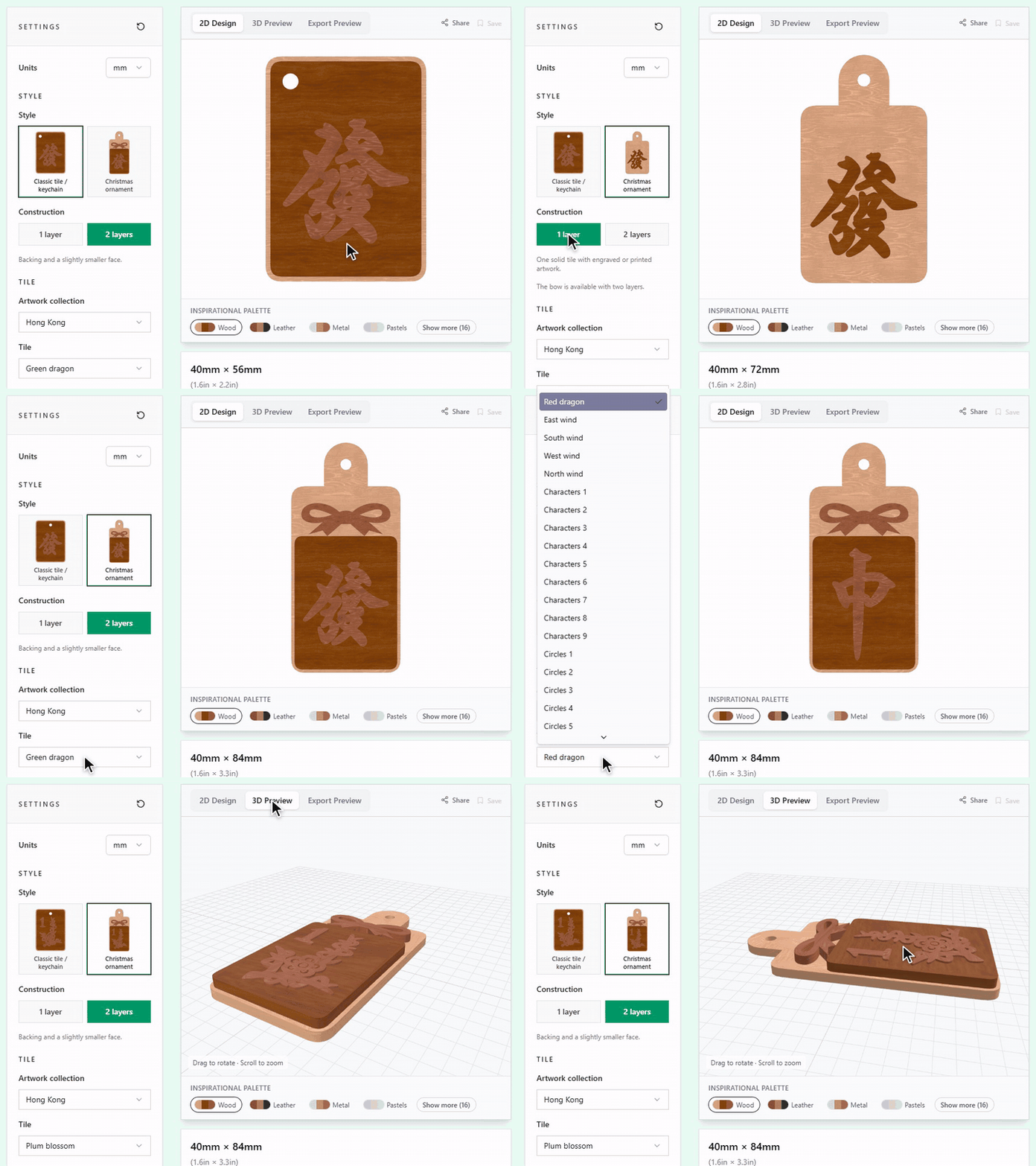
- Mahjong Tile Ornament Generator: Mahjong tiles as a keychain or as a Christmas ornament with a bow, in one or two layers. Pick from 235 tiles in five sets: Hong Kong, Taiwan, Vietnam, Malaysia and Japanese riichi. Download SVG to cut, SVG and PNG to UV print, or STL and 3MF to 3D print.
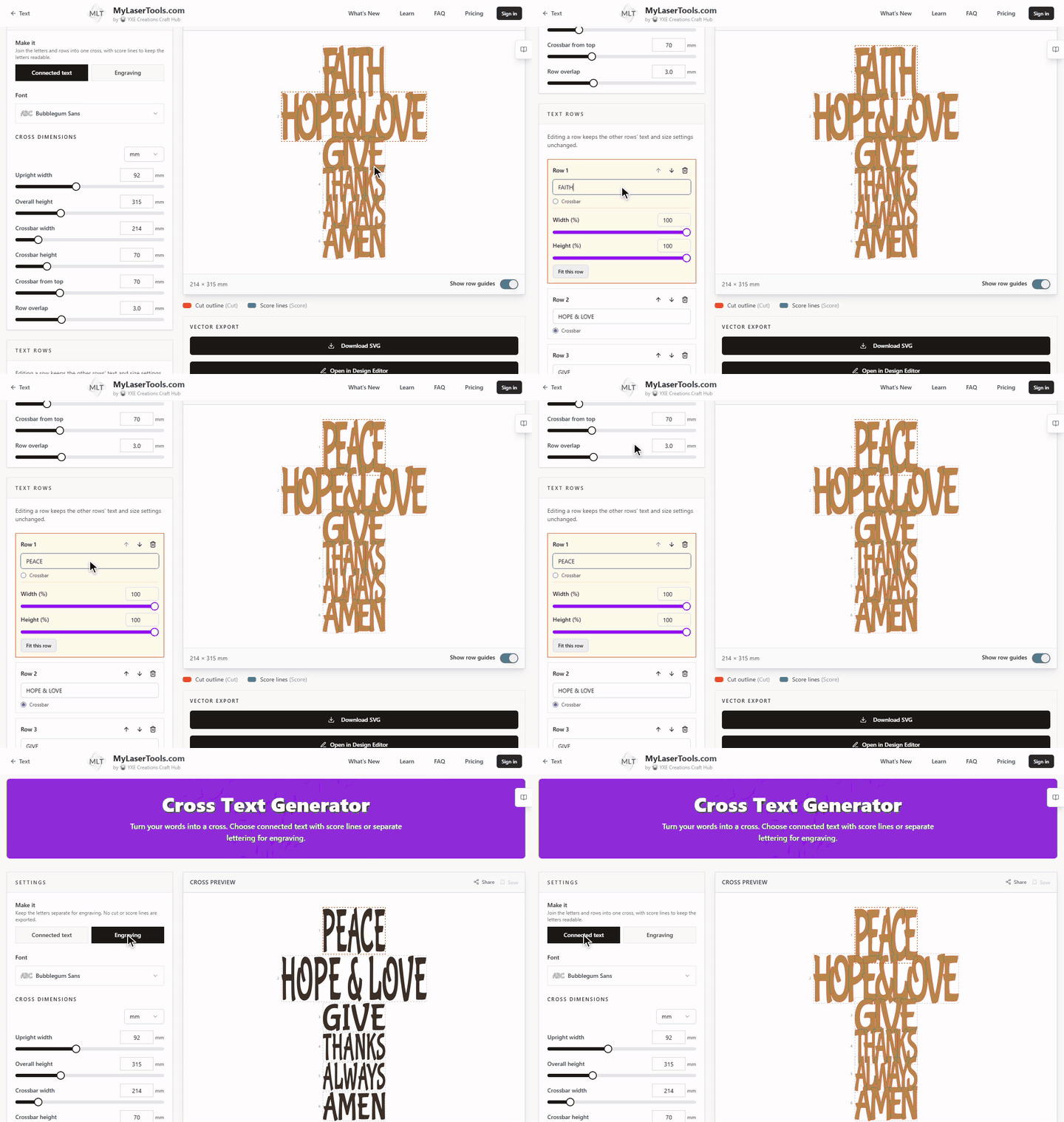
- Cross Text Generator: Words stacked into a cross. Each row fits its own width and height automatically, any row can be the crossbar, and you can change the size of every row. Make it as one connected cut piece with score lines, or as separate letters for engraving.
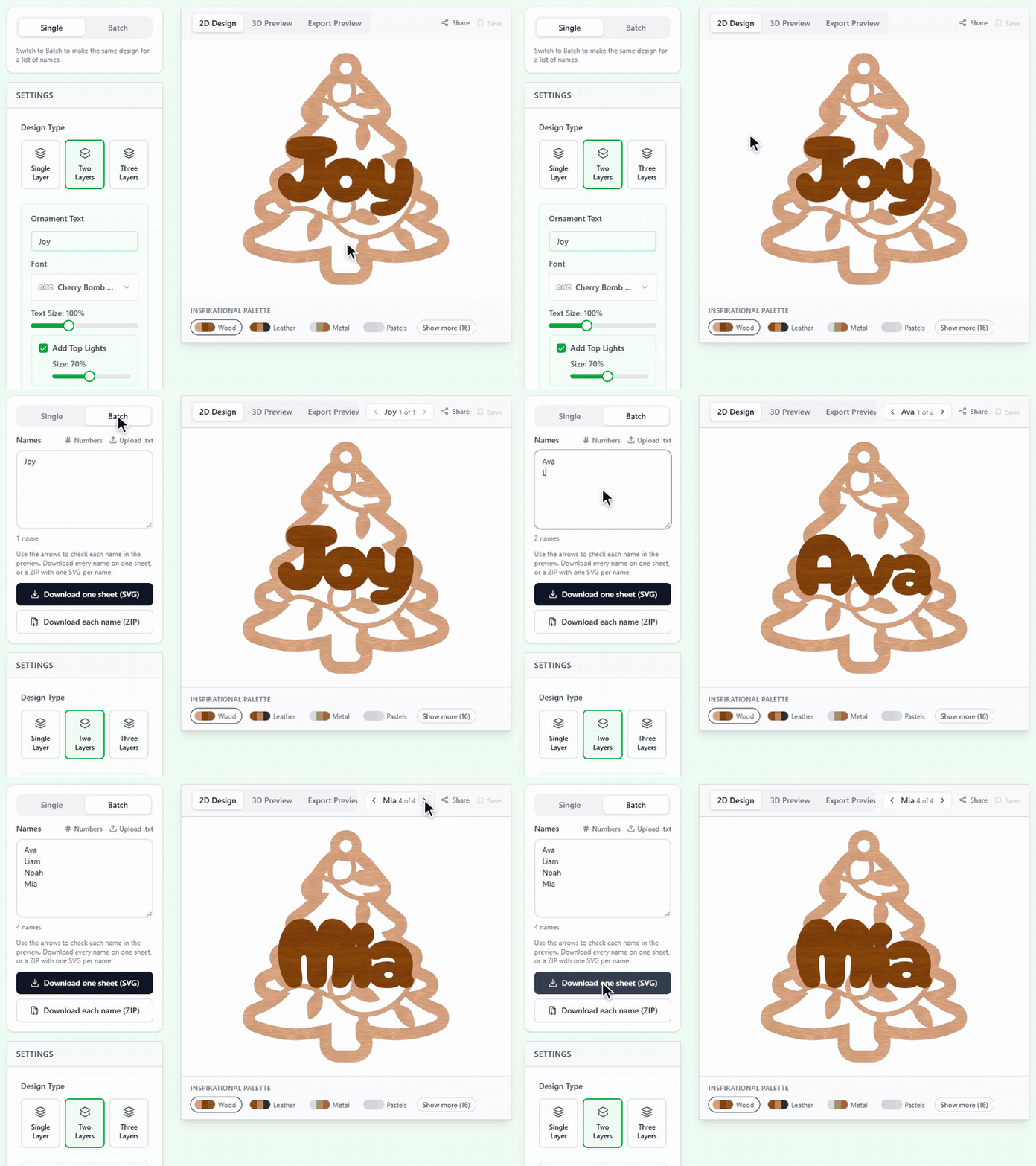
- Batch names in 48 text tools: The keychain, ornament, tag, sign and text tools now have a Single and Batch switch, 48 tools in all. Paste a list of names, upload a .txt file or use numbers, check each name in the preview, then download every name on one sheet or one SVG per name in a ZIP. For designs with several lines, put a slash between the lines, for example Mr & Mrs / Smith / 2027. Batch also works in the Workbench, the KerfScript Playground and every customizable community design. Try it in the Tree Ornament generator.
- Bookmarks by the sheet: Type a list of names in the Bookmark Generator and download sheets that are ready to cut. Pick a common sheet size (12 × 19 in by default, or 12 × 12, 12 × 20, 18 × 24 and 12 × 24 in, with rounded metric sizes such as 300 × 500 mm) or enter your own. The preview shows every sheet, and the generator tells you how many sheets your list needs.
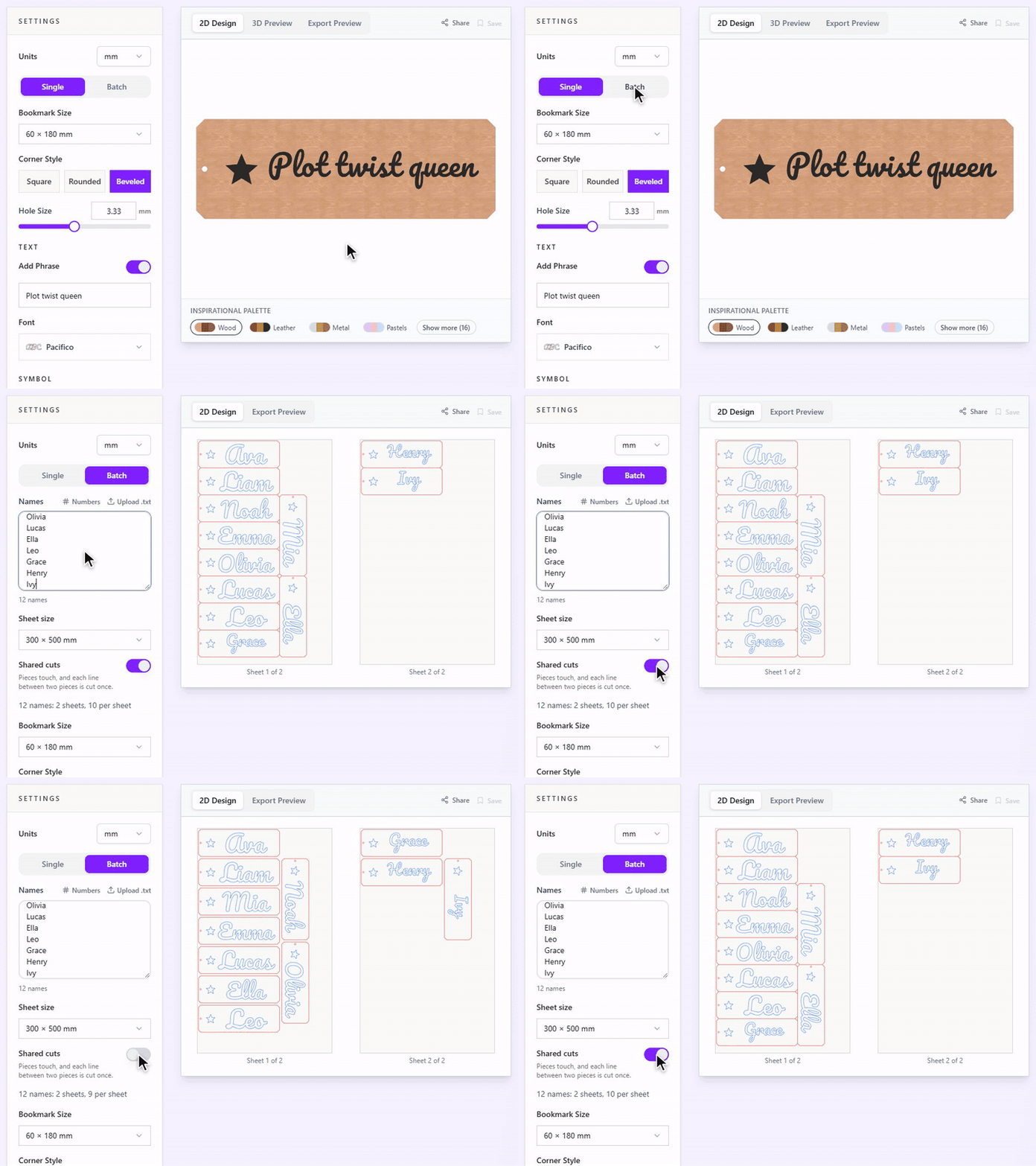
- Shared cuts: Bookmarks can touch, so the line between two of them is cut once. That saves laser time and fits more on each sheet: a 12 × 19 in sheet holds 12 bookmarks at 2.25 × 7 in, against 9 with gaps.
- Sheet sizes in every batch tool: The Keychain Generator, Christmas Ornament Generator and the connected, single-line and curved text tools now lay a batch out on a real sheet too. Pick the sheet in the batch settings, see every sheet in the preview and download one file per sheet. Batch mode starts with three sample names, so the preview is never empty.
- Eight new customizable designs: A money pull box, a money tree for the gift table, a gas money can, a money gnome, a split name sign, a birth stats sign, a special date calendar and a family heart puzzle. Each one can be cut on a laser or 3D printed, with your own names and words.
- Six new occasion categories: Baby, Pets, Couples, Sports, New Year's Eve and Thanksgiving each have their own category, with the tools and community designs that fit the occasion, from name puzzles and pet memorials to race track maps and pumpkin place cards.
- Seasonal tools on the home page: The home page has a seasonal row under Popular right now. For Christmas it shows our favourite ornament tools and community designs, with a link to every Christmas tool.
- Guides for selling what you make: Seven new Learning Center guides: products to sell by season and occasion, starting a laser business, selling on Etsy and Amazon Handmade, what you may sell, SVG, DXF, PDF and PNG files, which materials to cut and which never to cut, and stacking and gluing layered projects. Each one links to the tools it mentions and ends with common questions.
Improvements
- 30 more fonts for signs, names and monograms: Choose from 30 additional Google Fonts families under the SIL Open Font License 1.1, including Lobster, Berkshire Swash, Cinzel Decorative Bold, Bungee and Kalam Bold. The selection adds scripts, serif lettering, bold display fonts and handwriting, with previews in the font picker and Art Library. Delicate faces remain available for engraving and are filtered out of tools that need sturdy cutout lettering.
- Real bookmark sizes: The Bookmark Generator lists real sizes such as 2 × 7 in or 60 × 180 mm in place of Small, Medium and Large, in the unit you work in.
- Cutting checks in the Map Designer: Before you download, the Map Designer can check your layers for loose pieces, parts that are too small, narrow spots and holes that may close up once kerf is taken off. Enter the finished width, the smallest detail you can cut and your measured kerf. The checks stay off until you turn them on, and they never block a download.
- Assembly steps for layered maps: The Map Designer export preview lists every piece in stack order with what to cut, engrave, score, UV print or 3D print on it, and you can download the steps as a text file.
- Design pages open on Laser cut: Community designs list their versions as Laser cut, 3D print and then UV print, and open on the laser cut version. A link to a particular version still opens that version.
- KerfScript 0.10 in the Workbench: Generators can use the new shapes and stand libraries, and a setting can show only while another setting needs it. STL and 3MF downloads lay each part flat at the material thickness, and the 3MF raises engraving and scoring in a second colour.
- Race tracks from open map data: Every race track outline in the Map Designer now comes from OpenStreetMap, and each track is named after its town or region. The library has 104 tracks.
- A new Christmas village photo: The Christmas Village House Generator now shows five maple houses made with it: a cabin, a townhouse, a cottage, a church and a small cottage, one lit from inside by a tealight.
- OpenSCAD credit on the Workbench: The Workbench page now credits OpenSCAD, the free software behind its 3D previews and exports, with a link to the open source credits.
Bug fixes
- Batch previews show the whole sheet: Tall batch previews in the keychain, ornament and text tools no longer cut off the top row.
- Long search words work: Searching community designs or creators for a long word, such as a pasted design link, no longer shows an error.
- Leather bookmark text fits the first time: Auto-fit on the Leather Bookmark Generator sizes new text by its own outline, not by the outline of the text typed before it.
Quick answers
- What's new in MyLaserTools 2.7?
- Five Christmas ornament generators (a tree of names, a name snowflake, a split monogram, family bells and mahjong tiles), the Cross Text generator and eight new customizable designs. Most tools with a name field can make a whole list of names at once, and batch bookmarks fit on real sheets with shared cuts.
- Can I make the same design for a whole list of names?
- Yes. Switch the tool to Batch, paste one name per line or upload a .txt file, and check each name in the preview. Download every name on one sheet, or in most tools a ZIP with one SVG per name.
- How does the Christmas Tree Names Generator order the names?
- The shortest name goes at the top and the longest at the bottom, so the lines step out like a tree. Two short names can share a line when that gives a better shape, and anything you type on one line stays together.
- What are shared cuts?
- When two pieces touch, the line between them needs only one pass of the laser. The generator removes the duplicate line, so the job takes less time and the pieces sit closer together. Turn it off if you prefer a gap between pieces.