

Photo Print and Cut Keychain Generator
Turn photos and artwork into keychains. Choose a shape or trace a silhouette, then print and cut.
1. Add your photo or artwork
Your photo stays in your browser. When you remove a background, model files download from Hugging Face, with MLT as a fallback. Your photo is never sent to either server.
Keychain settings
Keychain preview
Your photo goes here. Upload an image to start designing your keychain.
Upload a JPG, PNG, or WebP. Choose Cut to shape for a preset outline, Cut to silhouette to follow the transparent outline or full photo rectangle, or Remove background to automatically remove the background and trace the subject.
Set the size, adjust the photo or silhouette border, and choose the keyring hole size and position. The hole includes a connected tab with a 2 mm rim.
Download the SVG to keep the photo and red cut outline together. Print the image at actual size (100%) and cut only the red paths.
The print and cut files share the same page size and origin. Keep that alignment when importing them. The page includes bleed and a 2 mm margin; it is larger than the keychain. Align with your machine’s jig or registration workflow; machine-specific registration marks are not included.
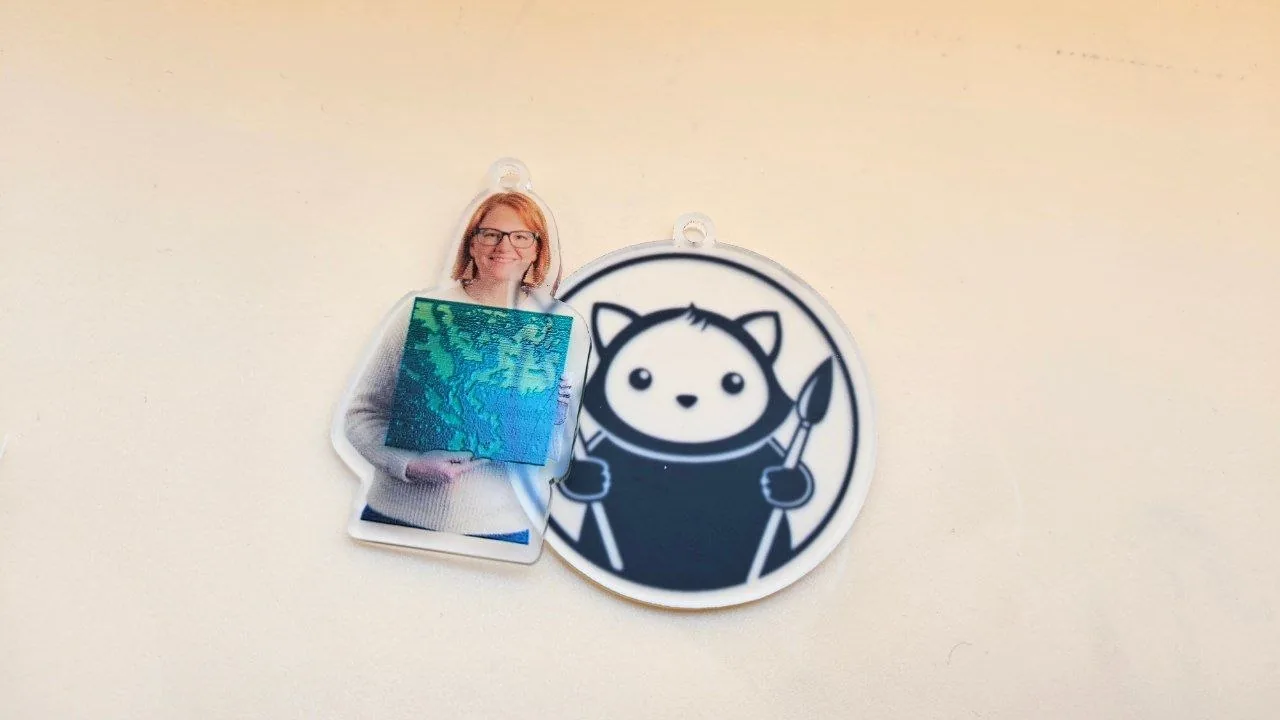
Finished keychain examples
Two ways to turn photos and artwork into a printed keychain.
Follow the outline of a person for a photo keepsake, or use a circle to frame an illustration. Both designs include a tab for a keyring.
Materials: Clear acrylic sheet, frosted on both sides
Keep up with MyLaserTools.
Email me about new tools, product updates, tutorials, and occasional MyLaserTools offers. Unsubscribe at any time.
© 2026 MyLaserTools.com. All rights reserved.