

Making ball-shaped sports bag tags with the Sports Bag Tag Generator
Difficulty: easy. Time: 5 minutes to set up, about 15 minutes to cut and glue. Best methods: laser cut 3 mm acrylic in two colours, or a four colour 3D print.
A bag tag gets thrown around, so the frame is one solid piece: the ball's outline as a rim with a banner for the name and a badge for the number welded into it. It glues straight onto the ball and nothing on top can snap off.
When a ball is too shallow for a badge, such as a football, the number moves onto the banner beside the name.
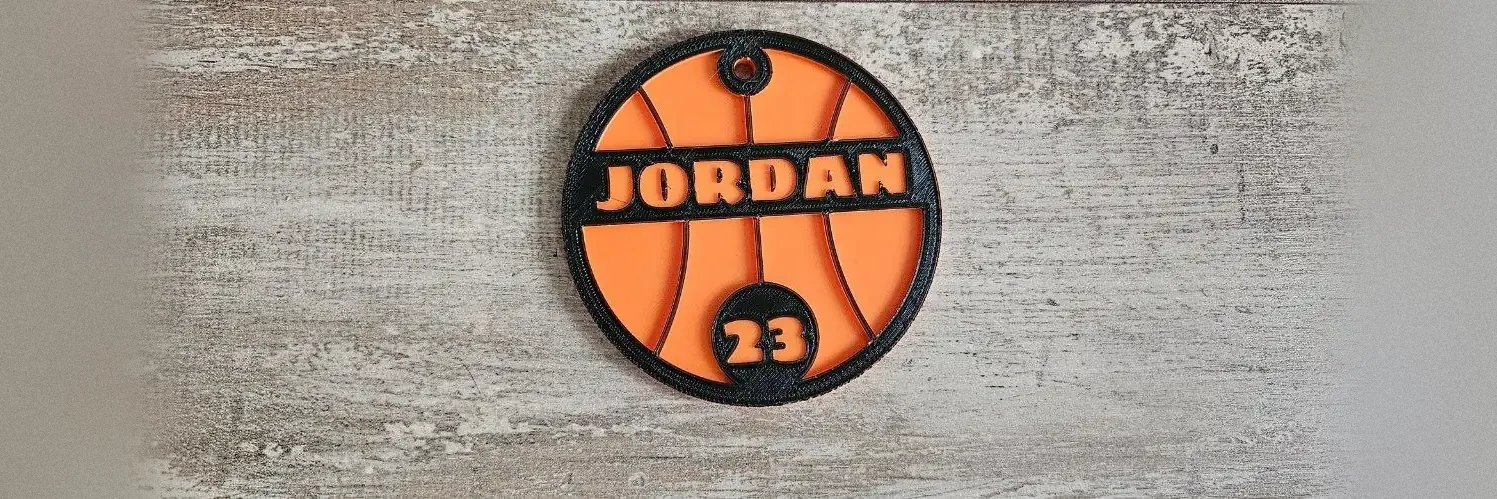
What You'll Need
- Two sheets of 3 mm acrylic: one in the ball's colour, one in your team colour
- Acrylic glue or thin double sided tape
- A bag strap, a zip tie or a split ring
Step 1 - Pick the ball
Choose a Ball. Each one sets a size that suits a bag tag and the ball's own colours. You can change the Size afterwards; 75 to 90 mm across suits most straps.
Step 2 - Name and number
- Type the Name and up to three digits for the Number. Leave the number empty for a name only.
- Pick a Name font and a Number font. Bold block fonts read best from across a gym.
- Frame width sets how wide the rim is.
- Choose a Ring hole or a Strap slot under Hang it with.
Step 3 - Two layers or one piece
Two layers cuts the ball from one sheet and the frame from another. One piece cuts a single tag, engraves the frame and banner as a second layer and leaves the name clear, which is quicker for a team order on one material.
Choose Your Build Method
Cut and glue
- Download the SVG. The ball is on the left and the frame on the right.
- Cut the ball from the ball-coloured sheet and engrave its markings.
- Cut the frame from your team colour and engrave the name and number.
- Glue the frame on top of the ball, lining up the outer edges.
- Thread the strap through the hole or slot.
Make It Yours
- Make a whole team by changing the name and number for each player.
- Try the Inspirational Palette to preview team colours before you buy acrylic.
- Use the strap slot for backpack straps that are too wide for a ring.
Keep up with MyLaserTools.
Email me about new tools, product updates, tutorials, and occasional MyLaserTools offers. Unsubscribe at any time.
© 2026 MyLaserTools.com. All rights reserved.