

Printing a keyboard switch fidget clicker with the Clicker Generator
Difficulty: easy. Time: 5 minutes to set up, under an hour to print. Best method: 3D printing in PLA, two or three colours.
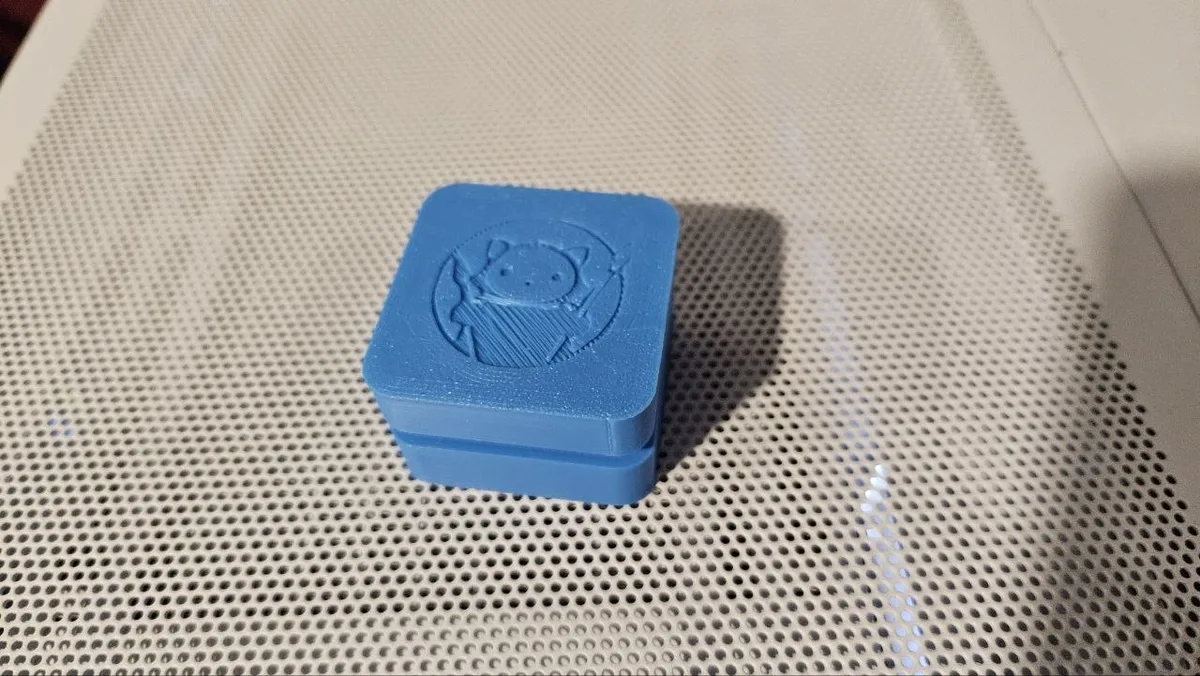
Inside every clicker is a keyboard switch. The base holds it in a 1.5 mm deck with a 14 mm cutout, just like a keyboard plate, with room underneath for the switch housing and its pins. The cap has a cross socket that pushes onto the switch stem and a skirt that leaves the full key travel.
Switches and printers vary a little, so the fit can be tuned. A printable fit test strip lets you check the plate cutout and the stem socket before you print a whole batch.

What You'll Need
- One MX-style mechanical keyboard switch per clicker. Clicky switches give the loudest click, tactile switches a soft bump
- A 3D printer and PLA in two or three colours
- Optional: a split ring or keychain
Step 1 - Pick a shape and a design
Choose a Shape and a Size. If a shape is too small for the switch it grows a little and tells you. Under Cap design, use a Symbol, a Word, an SVG, a Picture or keep it Plain. Pictures trace best when they are simple and high contrast; dark areas become the design.
Step 2 - Place the design
- The design prints in a second colour, flush with the top of the cap.
- Use Design size and Move up or down to place it.
- Turn on Keychain loop and set Loop position to move it around the edge.
Step 3 - Check the fit
Under Switch fit, Plate cutout is 14 mm as standard. Go up a little if the switch will not click in. Stem fit loosens the cross socket with a positive number and tightens it with a negative one. Turn on Add a fit test strip for your first print.
Choose Your Build Method
Print and assemble
- Open the Print layout tab above the preview to see the parts as they sit on the bed.
- Download the 3MF to keep the cap, design and base colours. The STL comes as a zip with one file per part.
- Print with no supports.
- Press the switch into the base deck from the top until its clips snap.
- Push the cap onto the switch stem.
Make It Yours
- Put a logo on the cap with SVG for a giveaway at a craft fair.
- Make a set with one letter on each cap.
- Try the Inspirational Palette under the preview before you load filament.
Keep up with MyLaserTools.
Email me about new tools, product updates, tutorials, and occasional MyLaserTools offers. Unsubscribe at any time.
© 2026 MyLaserTools.com. All rights reserved.