


Clicker Generator
Turn a symbol, a word, a logo or a picture into a clicky fidget built around a standard MX-style keyboard switch. Pick a shape, put your design on the cap in a second colour, add a keychain loop and print the base and cap flat with no supports.
How To Use
Pick a shape and size. Some shapes, like the star, grow a little on their own so the switch still fits inside.
Choose what goes on the cap: a symbol, a word, your own SVG or a photo that gets traced to one colour. It prints in a second colour, flush with the top of the cap.
Add a keychain loop and turn it to where you want it. If your printer runs tight or loose, print the fit test first and set the cutout and stem fit from the piece that feels right.
Download the 3MF and print both parts as laid out: the base upright and the cap face down. Press an MX-style switch into the base until it clicks, then push the cap onto the stem.
Clicker Examples
A real clicker printed with this generator: a rounded square in blue PLA with a picture engraved into the cap, sitting on its base with the switch inside.
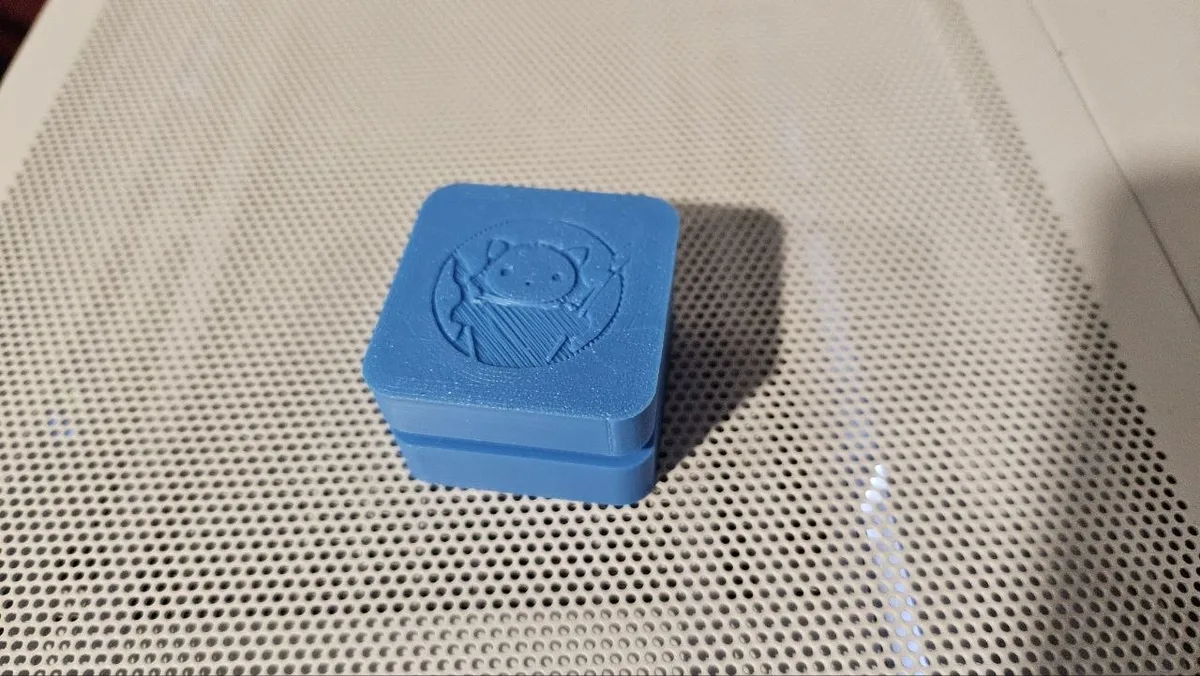
Made with:
- Blue matte PLA
- One MX-style mechanical keyboard switch
Frequently Asked Questions
Yes. The Clicker Generator is 100% free with no limits, no watermarks, and no trial period. Generate and download as many files as you want, free forever.
Free keyboard-switch clicker fidgets in 12 shapes, with your symbol, word, logo or traced picture on the cap and an optional keychain loop. Adjust the settings, preview your design in real time, and download a ready-to-make file in seconds.
It exports STL files for 3D printing, and multi-colour 3MF files where multiple parts or colours are involved. Files are generated instantly in your browser.
3D printers via slicers such as Bambu Studio, PrusaSlicer, OrcaSlicer, and Cura, with 3MF files carrying colour data for multi-colour prints.
You can use PLA, PETG, ABS, TPU, and any filament your printer supports for 3D printing. The generated files are standard formats compatible with any material your machine can handle.
No account or sign-up is required for the Clicker Generator. It runs entirely in your browser, your designs never leave your device, and there is nothing to install.
Yes. A commercial license is included, so you can sell products made with the Clicker Generator on Etsy, Amazon Handmade, Shopify, at craft fairs, or anywhere else. Attribution is appreciated but not required.
Visit the MyLaserTools Learning Center for a step-by-step Clicker Generator guide, plus material tips and file-format help for laser cutting, CNC, and 3D printing. The guides walk you through every setting and how to prepare your files for your machine.
Open the Clicker Generator guideAbout
The clicker generator builds a two-part fidget around a mechanical keyboard switch with the common cross stem. The base holds the switch in a 1.5 mm deck with a 14 mm cutout, just like a keyboard plate, with room underneath for the bottom housing and pins. The cap has a cross socket sized for the stem and a skirt that leaves the full 4 mm of travel.
The cap prints face down, so your design comes out as a crisp first layer in a second colour. A traced photo works best with a simple, high contrast picture. Any switch with a cross stem fits, and the fit test strip has three cutouts and three stems so you can tune the clearance for your printer.
Keep up with MyLaserTools.
Email me about new tools, product updates, tutorials, and occasional MyLaserTools offers. Unsubscribe at any time.
© 2026 MyLaserTools.com. All rights reserved.