

Layered Wall Art Generator
Turn a geometric pattern into a stack of laser-cut sheets. The bars get wider on every sheet further back, so the glued-up panel looks carved. Square wall panels and round layered mandalas both work.
How To Use
Pick a pattern. The thumbnails show the stack with your current settings, and Pattern size makes the repeat bigger or smaller.
Set the number of sheets and the layer step. Every sheet further back gets bars that much wider on each side, so the openings close in toward the back.
Try Rotate, Zoom or Spin so the sheets underneath stop lining up, or mix a second pattern into the sheets in between.
Click Download SVG for all sheets on one file, or use the sheet list under the preview to download one sheet at a time. Open in Design Editor takes the sheets into the editor for more changes. Glue sheet 1, the back, down first and stack the rest on top with the edges lined up.
Examples
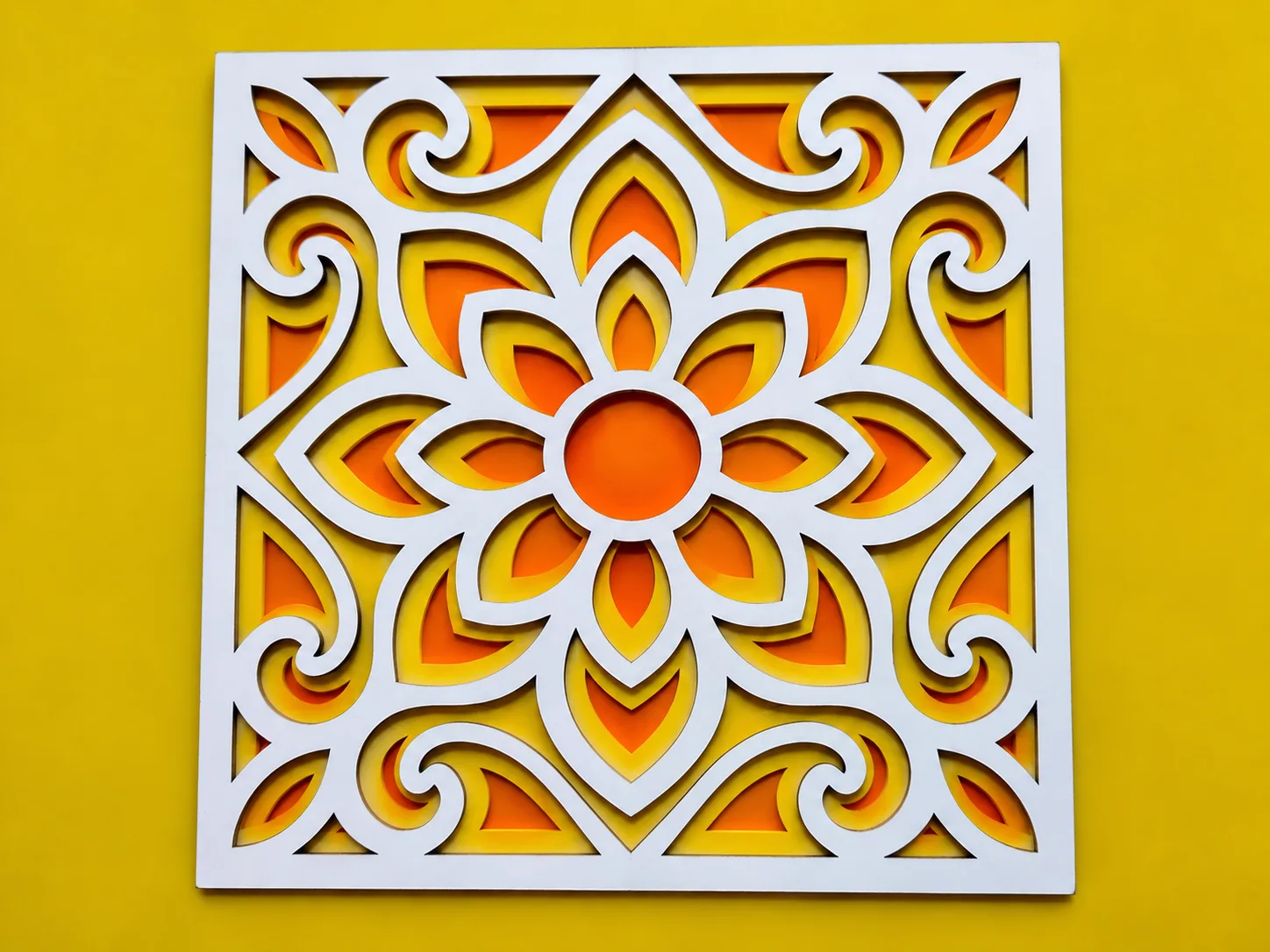
The same floral panel cut two ways, one sheet against a bright wall or three sheets stacked so the colour steps back toward the middle, plus an optical illusion that seems to bulge off the wall.
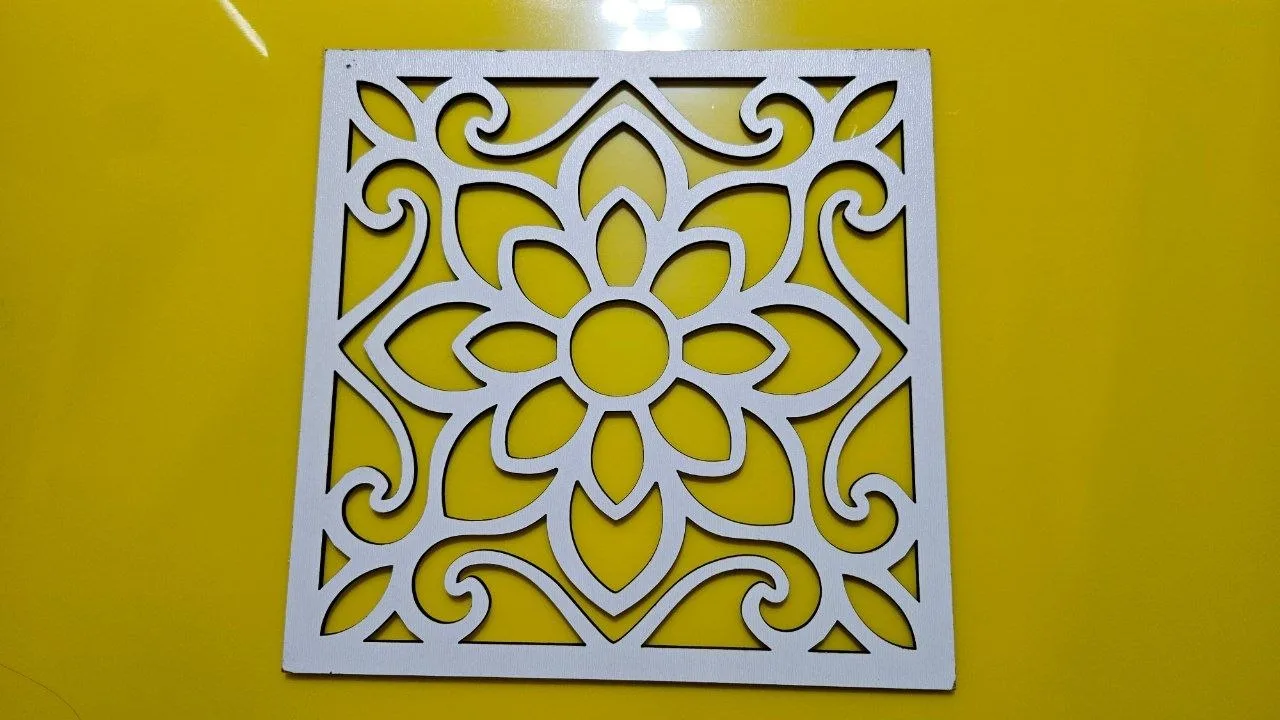
One sheet on its own:
For a single panel, download only the front sheet from the sheet list under the preview.
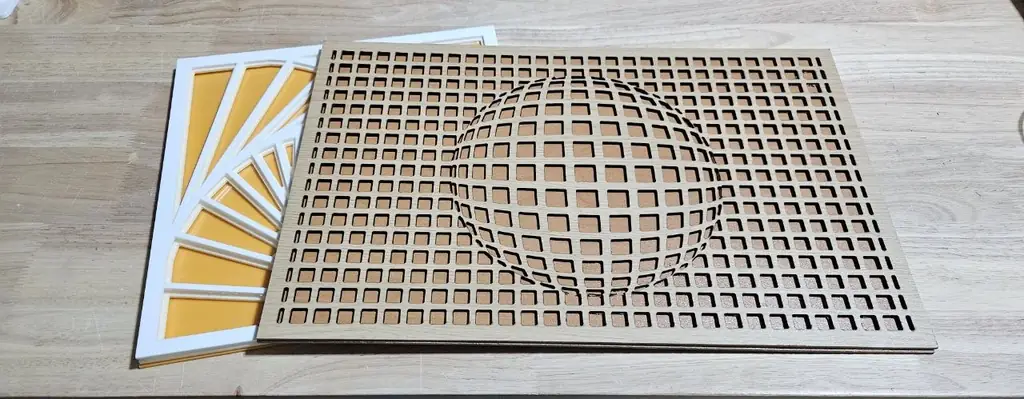
Vega Grid from the Optical Illusions category, cut in wood-grain plywood over a darker back sheet. The square openings swell into a sphere in the middle. Behind it, a Sunburst stacked in white and yellow.
Optical illusions read best with a back sheet in a contrasting colour, so every opening shows up clearly.
Frequently Asked Questions
Yes. The Layered Wall Art Generator is 100% free with no limits, no watermarks, and no trial period. Generate and download as many files as you want, free forever.
Free layered wall panels and mandalas as stacked cut sheets, with wider bars on every sheet further back and one SVG per sheet.. Adjust the settings, preview your design in real time, and download a ready-to-make file in seconds.
It exports clean, machine-ready SVG vector files with separate cut and engrave layers where applicable. Files are generated instantly in your browser.
Laser cutters and engravers including Glowforge, xTool, LightBurn, OMTech, Epilog, Trotec, Thunder Laser, and any machine that accepts SVG or vector files.
You can use wood, acrylic, leather, MDF, plywood, cardboard, and paper for laser cutting and CNC. The generated files are standard formats compatible with any material your machine can handle.
No account or sign-up is required for the Layered Wall Art Generator. It runs entirely in your browser, your designs never leave your device, and there is nothing to install.
Yes. A commercial license is included, so you can sell products made with the Layered Wall Art Generator on Etsy, Amazon Handmade, Shopify, at craft fairs, or anywhere else. Attribution is appreciated but not required.
Visit the MyLaserTools Learning Center for a step-by-step Layered Wall Art Generator guide, plus material tips and file-format help for laser cutting, CNC, and 3D printing. The guides walk you through every setting and how to prepare your files for your machine.
Open the Layered Wall Art Generator guideKeep up with MyLaserTools.
Email me about new tools, product updates, tutorials, and occasional MyLaserTools offers. Unsubscribe at any time.
© 2026 MyLaserTools.com. All rights reserved.