
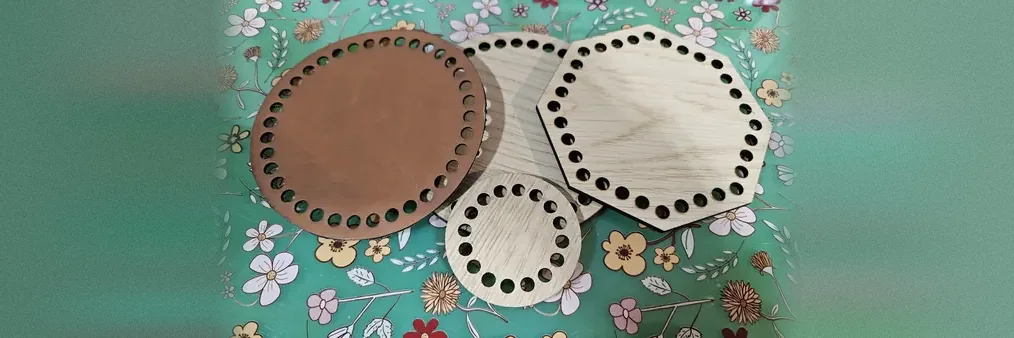
Crochet Base Generator
Free crochet base generator for laser cutting, CNC, and 3D printing. Pick a shape (circle, oval, square, rectangle, triangle, quarter circle, hexagon, or octagon), set hole size and spacing, and export SVG, STL, and 3MF files.
How To Use
Pick a base shape. Circle and oval are smooth, perfect for round bags and baskets. Square and rectangle support a corner radius slider for soft edges. Triangle and quarter circle are great for shawls, doilies, and corner motifs.
Set the size in millimetres or inches. The defaults (100 mm) make a 4-inch base, the most popular size for small bags and baskets.
Tune the hole diameter, spacing, and edge clearance. Defaults are tuned for worsted-weight (#4) yarn with a 4 mm crochet hook: 5 mm holes, 8 mm centre-to-centre spacing, and 7 mm clearance from the edge. Bump the hole diameter up for chunky yarn, down for DK/sport.
Click "Download SVG" and import into LightBurn (affiliate link), Glowforge, xTool Creative Space, or any laser software. Cut from 3 mm plywood, basswood, or acrylic. The holes are sized so a standard hook passes through cleanly.
Crocheting on the base: work the first round of single or double crochet stitches directly into the perimeter holes, then continue building rows up off that foundation. Two single crochets per hole is a typical starting point.
Crochet Base Examples
Free crochet base generator for laser cutting, CNC, and 3D printing. Pick a shape (circle, oval, square, rectangle, triangle, quarter circle, hexagon, or octagon), set hole size and spacing, and export SVG, STL, and 3MF files.
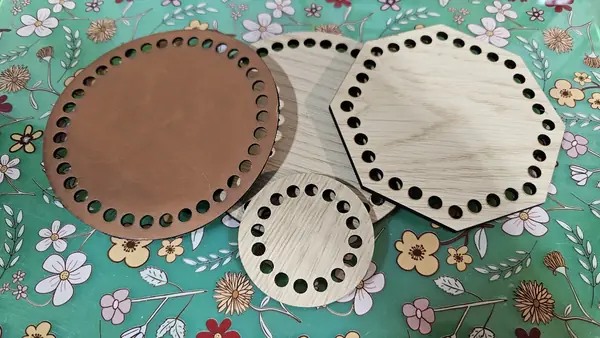
Cut from 3 mm plywood, basswood, or acrylic for laser. For 3D printing, set the depth to your slot or yarn-fibre tolerance and use a tight infill so the holes don't fray. Sand the hole edges lightly before crocheting so the yarn doesn't snag.
Frequently Asked Questions
Yes. The Crochet Base Generator is 100% free with no limits, no watermarks, and no trial period. Generate and download as many files as you want, free forever.
Free crochet base generator for laser cutting, CNC, and 3D printing. Pick a shape, set hole size and spacing, and export SVG, STL, and 3MF files for crochet bag bases, baskets, and shawl panels. Adjust the settings, preview your design in real time, and download a ready-to-make file in seconds.
It exports clean SVG files for laser cutting, CNC, and vinyl, plus STL and multi-colour 3MF files for 3D printing. Everything is generated instantly in your browser.
Laser cutters and engravers including Glowforge, xTool, LightBurn, OMTech, Epilog, Trotec, Thunder Laser, and any machine that accepts SVG or vector files. CNC routers and mills via SVG import in tools like Vectric, Carbide Create, Easel, and Fusion 360. 3D printers via slicers such as Bambu Studio, PrusaSlicer, OrcaSlicer, and Cura, with 3MF files carrying colour data for multi-colour prints.
You can use wood, acrylic, leather, MDF, plywood, cardboard, and paper for laser cutting and CNC, and PLA, PETG, ABS, TPU, and any filament your printer supports for 3D printing. The generated files are standard formats compatible with any material your machine can handle.
No account or sign-up is required for the Crochet Base Generator. It runs entirely in your browser, your designs never leave your device, and there is nothing to install.
Yes. A commercial license is included, so you can sell products made with the Crochet Base Generator on Etsy, Amazon Handmade, Shopify, at craft fairs, or anywhere else. Attribution is appreciated but not required.
Visit the MyLaserTools Learning Center for a step-by-step Crochet Base Generator guide, plus material tips and file-format help for laser cutting, CNC, and 3D printing. The guides walk you through every setting and how to prepare your files for your machine.
Open the Crochet Base Generator guideAbout
Free crochet base generator for laser cutting, CNC, and 3D printing. Choose from Circle / Oval, Square / Rectangle, Triangle, Quarter Circle, Hexagon, or Octagon and tune hole size, spacing, and edge clearance. Default geometry follows standard crochet practice (5 mm holes for worsted-weight yarn) with corner-aware placement and stitch-friendly hole counts. Export SVG, STL, and 3MF files compatible with Glowforge, xTool, Bambu Lab, Prusa, and other machines.
Keep up with MyLaserTools.
Email me about new tools, product updates, tutorials, and occasional MyLaserTools offers. Unsubscribe at any time.
© 2026 MyLaserTools.com. All rights reserved.