

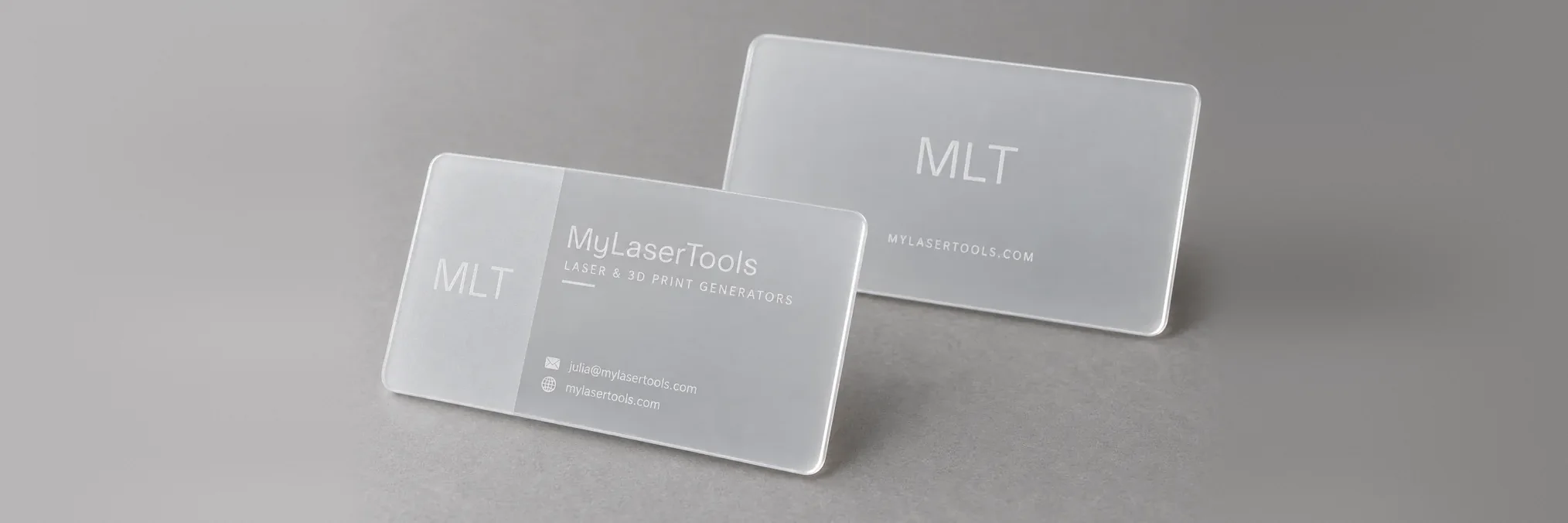
Business Card Generator
Make two-sided business cards for a laser or a 3D printer. Type your details, pick one of 12 layouts and add a QR code that saves your contact. Laser files come out as an SVG with cut and engrave layers. Print files come out as a two or three colour 3MF, with room for an NFC tag inside.
How To Use
Choose Laser or 3D printer. The choice sets the smallest text the card will allow and switches the options at the bottom of the panel.
Pick a layout and a card size. US, EU and Japanese sizes are built in, plus a square card. The lattice layout cuts a pattern of holes through the card.
Type your details. Empty fields are left off the card. Long lines shrink to fit, and the panel tells you which line to shorten when it gets too small to read.
Set the QR code to save your contact, open your website or open any link. Upload an SVG logo or keep your initials.
Download the SVG for the laser: engrave the front, flip the card left to right and use the back alignment outline to engrave the back. For printing, download the 3MF, which keeps each colour as its own part. With an NFC pocket, pause the print at the height shown and drop the tag in.
Frequently Asked Questions
Yes. The Business Card Generator is 100% free with no limits, no watermarks, and no trial period. Generate and download as many files as you want, free forever.
Free two-sided business cards with a QR code that saves your contact. SVG for laser engraving or a multicolour 3MF with an NFC pocket. Adjust the settings, preview your design in real time, and download a ready-to-make file in seconds.
It exports clean SVG files for laser cutting, CNC, and vinyl, plus STL and multi-colour 3MF files for 3D printing. Everything is generated instantly in your browser.
Laser cutters and engravers including Glowforge, xTool, LightBurn, OMTech, Epilog, Trotec, Thunder Laser, and any machine that accepts SVG or vector files. 3D printers via slicers such as Bambu Studio, PrusaSlicer, OrcaSlicer, and Cura, with 3MF files carrying colour data for multi-colour prints.
You can use wood, acrylic, leather, MDF, plywood, cardboard, and paper for laser cutting and CNC, and PLA, PETG, ABS, TPU, and any filament your printer supports for 3D printing. The generated files are standard formats compatible with any material your machine can handle.
No account or sign-up is required for the Business Card Generator. It runs entirely in your browser, your designs never leave your device, and there is nothing to install.
Yes. A commercial license is included, so you can sell products made with the Business Card Generator on Etsy, Amazon Handmade, Shopify, at craft fairs, or anywhere else. Attribution is appreciated but not required.
Visit the MyLaserTools Learning Center for a step-by-step Business Card Generator guide, plus material tips and file-format help for laser cutting, CNC, and 3D printing. The guides walk you through every setting and how to prepare your files for your machine.
Open the Business Card Generator guideAbout
The business card generator lays out your name, title and contact lines on a real card size and gives you files for two kinds of machine. On a laser, the front and back come out as separate engrave layers beside a cut outline, so a wood, anodised aluminium or acrylic card can be engraved on both faces. On a 3D printer, the lettering is laid into the top and bottom faces in a second and third colour, or raised from the front if you prefer the feel of it.
Every layout has a front and a back. The QR code can carry a full contact card, so a phone that scans it offers to save you as a contact. Text never drops below the size your machine can make readable, which is 1.2 mm cap height on a laser and 1.9 mm on a 0.4 mm nozzle. The NFC pocket is a hidden round cavity in the middle of the card, sized for a 25 mm sticker tag by default.
Keep up with MyLaserTools.
Email me about new tools, product updates, tutorials, and occasional MyLaserTools offers. Unsubscribe at any time.
© 2026 MyLaserTools.com. All rights reserved.