

Making a winery keepsake with the Wine Country Map preset
Difficulty: Beginner (print) to Intermediate (laser) · Time: 20 minutes (print) to 60 minutes (engrave) · Methods, ranked: 1) High-res print / UV print - the full palette is built for it, 2) laser engrave on wood with the vineyards as a mid-tone fill, 3) sublimation onto a tasting-room coaster or board.
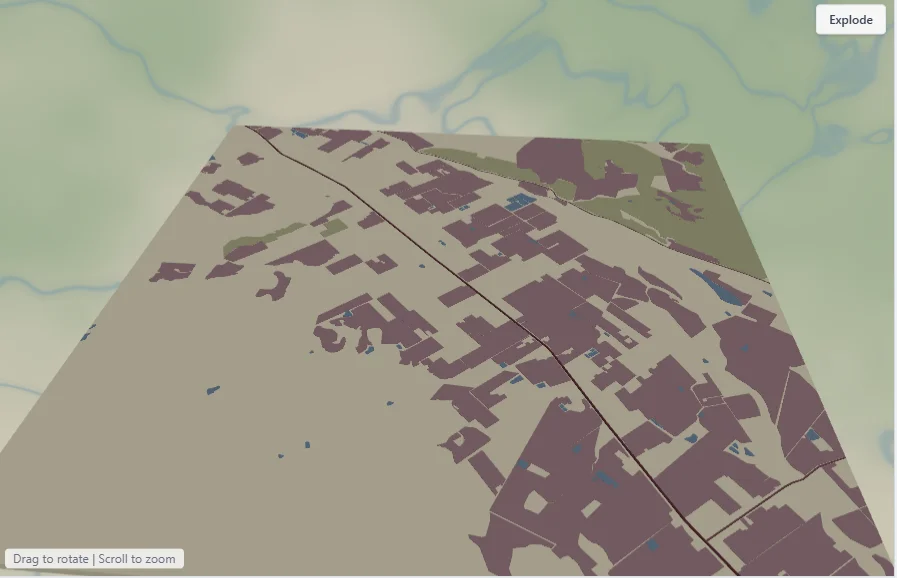
Wine regions are some of the most evocative places on a map - rolling farmland, hill forest, a river threading the valley. This preset leans into that: farmland fills as vineyard rows in a dusty wine rose over warm cream, sage hill forest, soft blue water, and burgundy lanes. It ships set up on the Napa Valley; search any wine region in the world - Bordeaux, Tuscany, the Okanagan, Mendoza - and the palette follows.
What You'll Need
Print (recommended)
- The exported 4096 px PNG and a photo print service (or your own printer), frame of choice - or a UV flatbed onto white acrylic for a tasting-room piece
Laser engrave
- 3 mm Baltic birch or a bamboo board/coaster; laser engraver
Step 1 - Frame your valley
Open the Wine Country Map preset. It loads on the Napa Valley at zoom 11.5. Search your region and adjust zoom so the valley floor and surrounding hills both sit in frame - vineyards read best when the farmland fills a clear band through the middle.
Step 2 - Tune the palette
One Valley layer holds everything: cream land base, farmland in a dusty wine rose (#B5838D) standing in for vineyard rows, sage forest on the hills, soft grassland, blue water and river, and three burgundy road tiers.
- Push farmland toward deep burgundy
#8E5A6Bfor a richer, more obviously "wine" read, or toward gold#C9A24Bfor a Tuscan harvest look. - If your region is more orchard or olive than vineyard, the same farmland fill still reads as cultivated land.
- Keep roads subtle so the field pattern stays the hero.
Step 3 - Export
- Print: high-res PNG (4096 px), Background on.
- Laser engrave: combined SVG; the farmland fill maps to a mid-tone engrave, roads and river to lighter passes.
- Small-polygon cleanup on to keep tiny field slivers from cluttering an engrave.
Choose Your Build Method
Framed print / UV print
- Export the PNG and print at 250–300 mm on matte paper - matte suits the dusty palette.
- Add the winery or region name and a year as a caption for an anniversary or visit keepsake.
- UV variant: print on white acrylic for a glossy tasting-room display piece.
Make It Yours
- Anniversary gift: the valley where you got engaged, with the date engraved below.
- Winery merch: the estate's own region as a coaster set or a framed cellar-door print.
- Region series: Napa, Bordeaux, Tuscany, the Okanagan as a matching gallery wall.
- Bottle-match: recolor farmland to the label's signature color for a branded gift.
New free tools, every month.
New laser cutting tools, what's coming next, and features we're building right now. Only MyLaserTools.com news. No spam, ever.
© 2026 MyLaserTools.com. All rights reserved.