

Printing standoffs with the Standoffs / Spacers Generator
Difficulty: easy. Time: 5 minutes to design, minutes to print. Method: 3D printing only.
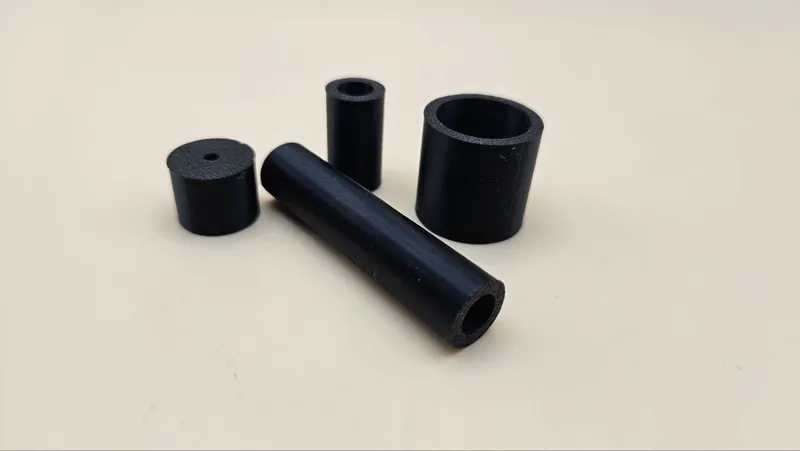
Standoffs and spacers are the quiet heroes of every mounting job: they float a PCB off its enclosure floor, hold an acrylic panel proud of the wall, and set exact gaps in stacked assemblies. Off-the-shelf standoffs come in a handful of lengths; this generator makes the exact one your assembly needs, in plain-bore spacer form or with an internal thread matched to a metric screw.
The Inner Bore toggle is the key control: off, you get a smooth through-hole spacer a screw passes through; on, you get an internally threaded standoff that a metric machine screw threads directly into, with M-size presets setting the thread for you.
What You'll Need
- Any FDM 3D printer
- PETG or PLA; PETG holds screw threads better over repeated assembly
- The screws you plan to use, for a thread test fit
Step 1 - Choose spacer or standoff
Open the tool and set the Inner Bore switch. Off gives a plain spacer with a smooth Inner Diameter you size for screw clearance. On gives an internal thread; pick an M Size Preset to set the Thread Diameter and pitch in one click.
Step 2 - Size the cylinder
- Length is the gap your assembly needs, exactly; this is the whole reason to print rather than buy.
- Outer Diameter: roughly 2x the bore is sturdy; go wider when the standoff also acts as a foot or visible design element.
- Printing threads below M3 is unreliable on a 0.4 mm nozzle; for tiny screws, use a plain bore and let the screw self-tap.
Step 3 - Export
Download STL or 3MF and duplicate in the slicer for however many mounting points the job has.
Choose Your Build Method
Print and install
- Print standing up, as exported; the thread needs to be a vertical helix and the ends come out parallel and flat.
- Use 0.12-0.16 mm layers for threaded versions; plain spacers are fine coarse.
- 4 perimeters, 25 percent or more infill; standoffs are loaded in compression and screw torque.
- Chase the printed thread with a real screw before installation to burnish the fit.
- Printed standoffs work great for PCBs and panels; for anything carrying real torque or heat, step up to anodized metal standoff spacers.
Make It Yours
- PCB mounting posts for Raspberry Pi and Arduino projects, threaded M2.5 or M3.
- Float a laser-engraved acrylic sign off the wall with four matching wide-body standoffs.
- Exact-height spacers to level a shelf bracket or align two enclosure halves.
- Mixed-length set to tilt a control panel toward the operator.
- Feet for project boxes: wide standoffs with a TPU washer underneath for grip.
- Cable management: short fat spacers as routing posts on a pegboard.
- Combine with the Machine Screws + Nuts Generator for an all-printed mounting kit.
New free tools, every month.
New laser cutting tools, what's coming next, and features we're building right now. Only MyLaserTools.com news. No spam, ever.
© 2026 MyLaserTools.com. All rights reserved.